Use Case 2: Executing First AWS SageMaker Model with Python on Qubole Analyze
The script uses MNIST data provided by SageMaker to build a Machine Learning (ML) model. This model can be used to predict the output for MNIST test data.
Prerequisites
Ensure that the instructions mentioned under Configuring a Qubole Spark Cluster and Configuring AWS SageMaker sections are completed.
Executing First AWS SageMaker Model with Python on Qubole Analyze
Navigate to the Analyze page on the QDS UI.
On the Analyze page, select Spark Command as the Command Type in the query editor. Select the Spark Cluster that you have configured under Configuring a Qubole Spark Cluster section. Ensure that the language is set as Python.

Copy and paste the program mentioned under the Appendix 3: For Python and enter the required information in the region and role ARN (as configured under Step 3 of Configuring AWS SageMaker) for Python program.
Use the following code under Spark Submit Command Line Operations:
--packages com.amazonaws:sagemaker-spark_2.11:spark_2.1.1-1.0
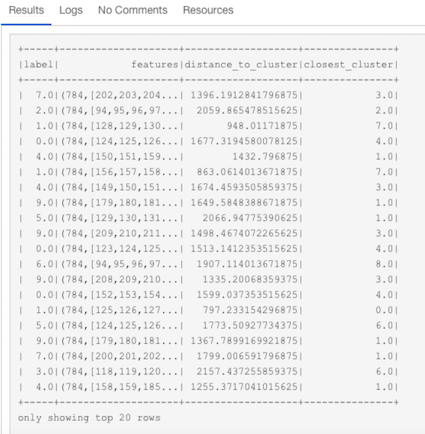
Click Run. It starts training a job and creates an endpoint to host the model. At the end, it runs the Test Data and displays the result, as shown below.