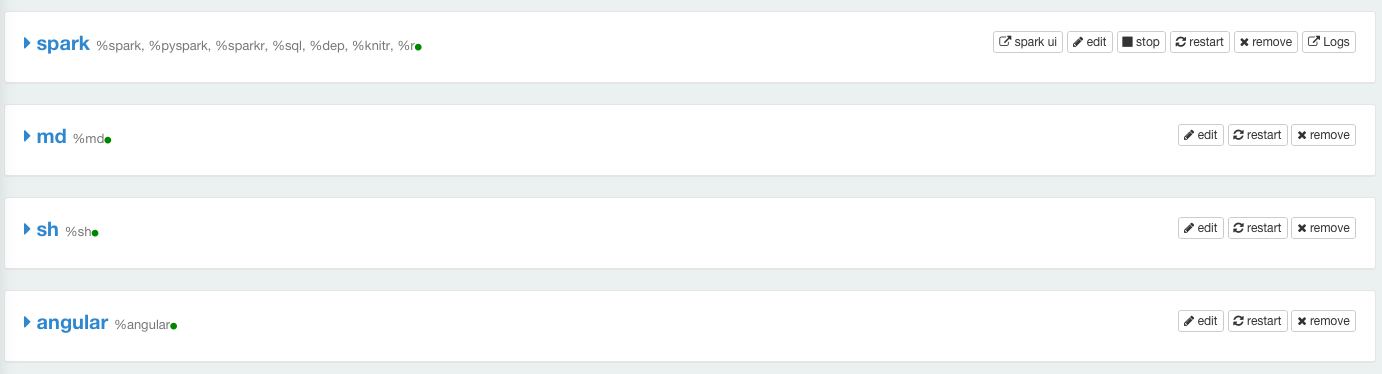
Notebook Interpreter Operations
You should understand the different operations that you can perform on interpreters to manage the interpreters.
- Go to a specific running Notebook’s page, and click on Interpreters.
- Select the required interpreter, and perform any of the following actions by using the corresponding buttons on the top-right corner against the interpreter:
- Edit the interpreter settings.
- Restart the interpreter.
- Remove the interpreter.
- Stop the interpreter.
- Access the logs.
- View the list of jobs for paragraphs run in a notebook.
Note
Some of the operations are available only for Spark interpreters.
The following table lists the operations that can be performed on the supported interpreters.
| Interpreters | Supported operations |
|---|---|
| Angular | Edit, restart, and remove. |
| Presto | Edit, restart, and remove. |
| markdown | Edit, restart, and remove. |
| Spark (pyspark, scala, sql, R, and knitr) | Edit, stop, restart, remove, accessing logs, and viewing list of jobs for paragraphs run in a notebook. |
| Shell | Edit, restart, and remove. |
Warning
Hive and Presto notebooks are in the beta phase. As there may be potential security concerns to use it in production, you can experiment a Hive or a Presto notebook but should not use it for a production usage.
The following illustration displays sample interpreters with the options.