Setting up the custom Qubole connector
Data connectors for Power BI enable users to connect to and access data from your application, service, or data source, providing them with rich business intelligence and robust analytics over multiple data sources. By integrating seamlessly into the Get Data experience in Power BI Desktop, data connectors make it easy for power users to query, shape, and mash up data from your app to build reports and dashboards.
To set up the data connector for Power BI, perform the following steps:
Get the built connector file (QubolePresto.mez) from here.
Place the built connector file (QubolePresto.mez) in the following directory: C:UsersAdministratorDocumentsPower BI DesktopCustom Connectors.
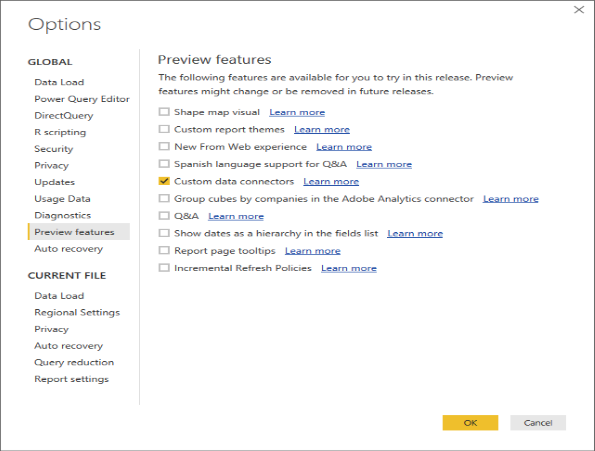
Enable the Qubole custom connector to plug in to the Get Data option of Power BI.
- Go to File > Options and Settings > Options > Preview features and set Custom data connectors.
- Restart Power BI so the setting will take effect.
Verify the availability of the Qubole custom connector in Power BI. Click on Get Data at the top left in the Home tab.
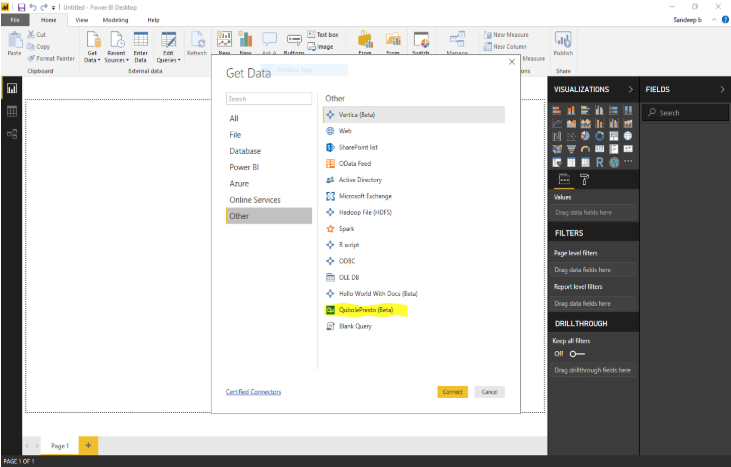
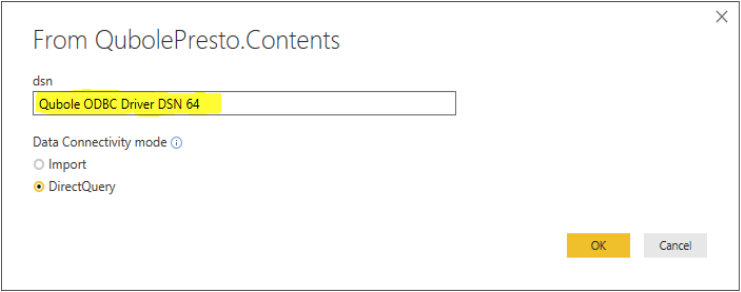
Click on the Qubole custom connector. Ignore the warning message saying that the connector is a beta version. Enter the data source as it appears in step 3 of DSN Configuration above. Select the DirectQuery option and click OK.
Ignore any authentication prompts. The connection is scripted for anonymous sign in. It is a one time prompt, and credentials will be stored in the global permissions, making it easy for subsequent sessions. After the connect request, the user must be able to preview the default data provided by Qubole.
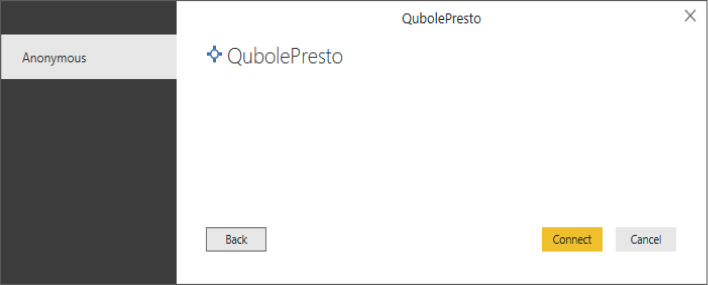
Previewing the data will initiate a relevant query over Qubole data services. The query triggered is enlisted in Qubole portal (https://azure.qubole.com) under the History section of the Analyze tab.
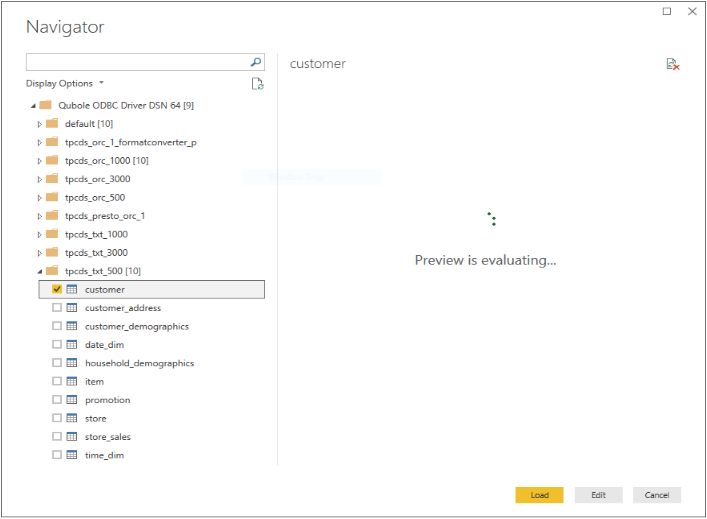
The Load option will directly provision the user for visualization. If the data needs cleaning and transformation, choose the Edit option.
Congratulations. Power BI is successfully configured with Qubole data services.