Downloading a Dashboard
You can download a dashboard in PDF, PNG, and HTML formats.
In the Dashboards page, click on the Settings icon as shown in the following figure.
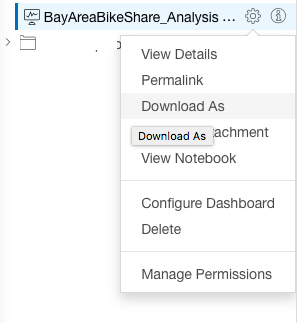
Select Download As.
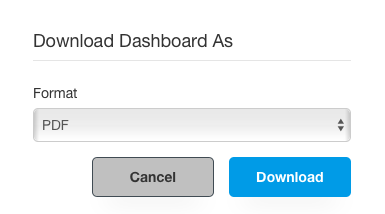
In the Download Dashboard As dialog box, select the required format from the drop-down list. By default, PDF is selected.
Click Download.
The following figure shows a sample Download Dashboard As dialog box.
Note
If a dashboard fails to render within 3 minutes, then the download option fails.
You can also download dashboards by using the command API. See Submit a Notebook Convert Command