Prerequisites and Signup
Prerequisites
Ensure that you have the following prerequisites before beginning the setup process:
- Google account: You must have a Google account to begin the setup process. You will use this Google account to sign up for QDS on GCP.
- GCP project: You must have a GCP project that is tied to a valid billing account to use QDS on GCP. All of the GCP resources you create to use with QDS will be contained within this project. You can either create a new project or use an existing project. For information on creating a project, see Creating and Managing Projects in the GCP documentation.
Note
In the current version of QDS on GCP, each QDS account can be associated with only one GCP project.
Your GCP project must have the following APIs enabled:
- Compute Engine API
- Cloud Resource Manager API
- Identity and Access Management (IAM) API
- Big Query Storage API (optionally, to use BigQuery)
Your GCP project can already have existing service accounts in it, but must have remaining quota to create two more service accounts, as Qubole will create two new service accounts in the project. By default, GCP has a limit of 100 service accounts per project.
Sign up for Qubole on GCP
Make sure that your GCP project meets the prerequisites described above.
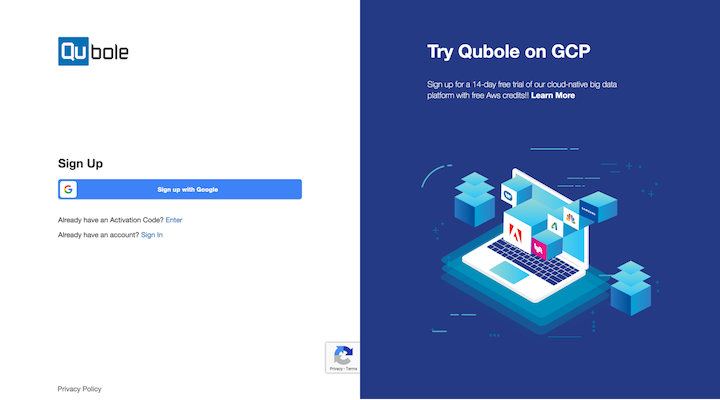
Click Sign up with Google on the signup page:
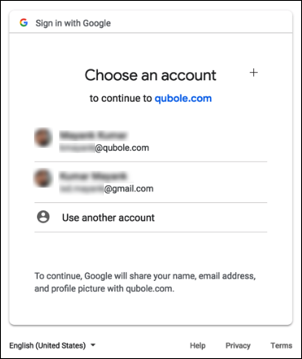
Click the Google account to be used for the signup process:
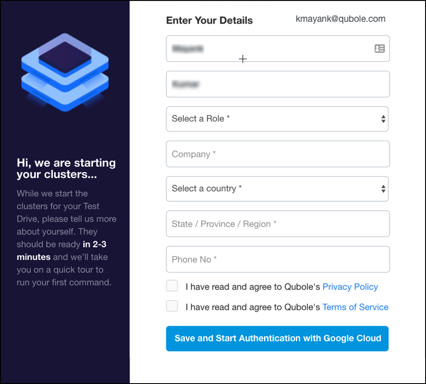
Provide additional details and click Save And Start Authentication with Google Cloud:
You have signed up for Qubole on GCP. Now let’s setup your Qubole account.